
Yesterday I published an article about how to set up Statspack in your database. Today we’ll see how to change some of its settings and how to delete snapshots. I’ll also show a job that recycles snapshots automatically based on the retention we want, and finally we’ll see how to remove Statspack completely.
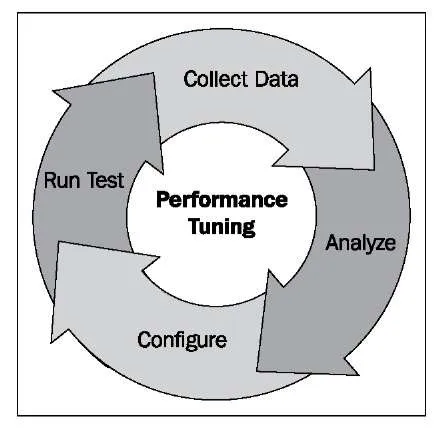
Let’s start with what I consider most important for doing a good performance analysis with the Statspack report: the collection levels.
We have the following capture levels:
Level 0
This level captures general statistics, including rollback segment, row cache, SGA, system events, background events, session events, system statistics, wait statistics, lock statistics, and Latch information.
Level 5
This level includes capturing high resource usage SQL Statements, along with all data captured by lower levels.
Level 6
This level includes capturing SQL plan and SQL plan usage information for high resource usage SQL Statements, along with all data captured by lower levels.
Level 7
This level captures segment level statistics, including logical and physical reads, row lock, itl and buffer busy waits, along with all data captured by lower levels.
Level 10
This level includes capturing Child Latch statistics, along with all data captured by lower levels.
This information is in the Statspack view stats$level_description and can be queried with this query:
SQL> SELECT * FROM stats$level_description ORDER BY snap_level;I like to use collection level 6, because it captures the execution plans of the SQL statements that used the most resources in the database during the snapshot period. The default level is 5, so always keep in mind that the higher the collection level, the more data is collected and stored.
We can take a single snapshot at level 10, for example:
SQL> EXECUTE STATSPACK.SNAP(i_snap_level=>10);

PL/SQL procedure successfully completed.
Or, for example, change all future snapshots to run at level 6:
SQL> EXECUTE STATSPACK.SNAP(i_snap_level=>6, i_modify_parameter=>'true');

PL/SQL procedure successfully completed.
Let’s query the snapshots we already have:
SQL> select name, snap_level, snap_id, to_char(snap_time, 'DD/MM/YYYY HH24:MI:SS') "Snapshot Time" from stats$snapshot,v$database order by snap_id;

NAME	  SNAP_LEVEL	SNAP_ID Snapshot Time
--------- ---------- ---------- -------------------
LOREDB		   5	      1 20/07/2016 13:01:16
LOREDB		   5	      2 20/07/2016 13:44:18
LOREDB		   5	      3 20/07/2016 14:00:04
LOREDB		   5	      4 20/07/2016 15:00:10
LOREDB		   5	      5 20/07/2016 20:45:41
LOREDB		   5	      6 20/07/2016 21:00:07
LOREDB		   6	      7 20/07/2016 21:07:38
LOREDB		  10	      8 20/07/2016 21:07:58
LOREDB		   6	      9 20/07/2016 21:09:51

9 rows selected.
Now let’s see how to remove snapshots. Run the script below to remove a range of snapshots:
SQL> @?/rdbms/admin/sppurge.sql

Database Instance currently connected to
========================================

				Instance
   DB Id    DB Name    Inst Num Name
----------- ---------- -------- ----------
 1937271711 LOREDB	      1 loredb

Snapshots for this database instance
====================================

			       Base-  Snap
 Snap Id   Snapshot Started    line? Level Host 	   Comment
-------- --------------------- ----- ----- --------------- --------------------
       1  20 Jul 2016 13:01:16		 5 loredata-srv.lo
       2  20 Jul 2016 13:44:18		 5 loredata-srv.lo
       3  20 Jul 2016 14:00:04		 5 loredata-srv.lo
       4  20 Jul 2016 15:00:10		 5 loredata-srv.lo
       5  20 Jul 2016 20:45:41		 5 loredata-srv.lo
       6  20 Jul 2016 21:00:07		 5 loredata-srv.lo
       7  20 Jul 2016 21:07:38		 6 loredata-srv.lo
       8  20 Jul 2016 21:07:58		10 loredata-srv.lo
       9  20 Jul 2016 21:09:51		 6 loredata-srv.lo

Warning
~~~~~~~
sppurge.sql deletes all snapshots ranging between the lower and
upper bound Snapshot Id's specified, for the database instance
you are connected to.  Snapshots identified as Baseline snapshots
which lie within the snapshot range will not be purged.

It is NOT possible to rollback changes once the purge begins.

You may wish to export this data before continuing.

Specify the Lo Snap Id and Hi Snap Id range to purge
~~~~~~~~~~~~~~~~~~~~~~~~~~~~~~~~~~~~~~~~~~~~~~~~~~~~
Enter value for losnapid: 1
Using 1 for lower bound.

Enter value for hisnapid: 3
Using 3 for upper bound.

Deleting snapshots 1 - 3.

Number of Snapshots purged: 3					     ~~~~~~~~~~~~~~~~~~~~~~~~~~~
Purge of specified Snapshot range complete.
We can see that the snapshots with snap_id 1 to 3 were removed:
SQL> select name, snap_level, snap_id, to_char(snap_time, 'DD/MM/YYYY HH24:MI:SS') "Snapshot Time" from stats$snapshot,v$database order by snap_id;

NAME	  SNAP_LEVEL	SNAP_ID Snapshot Time
--------- ---------- ---------- -------------------
LOREDB		   5	      4 20/07/2016 15:00:10
LOREDB		   5	      5 20/07/2016 20:45:41
LOREDB		   5	      6 20/07/2016 21:00:07
LOREDB		   6	      7 20/07/2016 21:07:38
LOREDB		  10	      8 20/07/2016 21:07:58
LOREDB		   6	      9 20/07/2016 21:09:51

6 rows selected.
Unfortunately Statspack has no automatic purge job, so to control the repository’s retention we have to do it manually by running the sppurge.sql script, or build something for it. I personally use the procedure below to do this and create a job for it. Where it says “snap_time < sysdate-30” you set your retention in days. Here’s the procedure:
SQL> create or replace PROCEDURE PERFSTAT.STATSPACKPURGE
IS
  var_lo_snap     NUMBER;
  var_hi_snap     NUMBER;
  var_db_id       NUMBER;
  var_instance_no NUMBER;
  noofsnapshot    NUMBER;
  n_count         NUMBER ;
  CURSOR cursor_inst
  IS
    SELECT
      instance_number
    FROM
      gv$instance;
BEGIN
  n_count := 0;
  FOR cur_inst IN cursor_inst
  LOOP
    SELECT
      COUNT(*)
    INTO
      n_count
    FROM
      stats$snapshot
    WHERE
      snap_time        < sysdate-30 AND instance_number=cur_inst.instance_number; IF n_count > 0 THEN
      SELECT
        MIN(s.snap_id) ,
        MAX(s.snap_id),
        MAX(di.dbid),
        MAX(di.instance_number)
      INTO
        var_lo_snap,
        var_hi_snap,
        var_db_id,
        var_instance_no
      FROM
        stats$snapshot s ,
        stats$database_instance di
      WHERE
        s.dbid              = di.dbid
      AND s.instance_number = di.instance_number
      AND di.startup_time   = s.startup_time
      AND s.instance_number = cur_inst.instance_number
      AND s.snap_time       < sysdate-7; noofsnapshot := statspack.purge( i_begin_snap => var_lo_snap ,
      i_end_snap => var_hi_snap , i_snap_range => true , i_extended_purge =>
      true , i_dbid => var_db_id , i_instance_number => var_instance_no);
      dbms_output.Put_line('snapshot deleted'||TO_CHAR(noofsnapshot));
    END IF;
  END LOOP;
END;
/

Procedure created.
To run it manually once it’s created, do:
SQL> exec perfstat.statspackpurge;

PL/SQL procedure successfully completed.
To create a job that will do the purge, use the dbms_job package:
SQL> declare
  my_job number;
begin
  dbms_job.submit(job => my_job,
    what => 'perfstat.statspackpurge;',
    next_date => sysdate+1,
    interval => 'sysdate+1');
end;
/

PL/SQL procedure successfully completed.
Querying the dba_jobs view we can see that the job is scheduled:
SQL> alter session set nls_date_format='dd/mm/yyyy hh24:mi:ss';

Session altered.

SQL> select job, what, LAST_DATE, NEXT_DATE, TOTAL_TIME, BROKEN, FAILURES from dba_jobs where SCHEMA_USER='PERFSTAT';

       JOB WHAT 								  LAST_DATE	      NEXT_DATE 	  TOTAL_TIME B	 FAILURES
---------- ---------------------------------------------------------------------- ------------------- ------------------- ---------- - ----------
	 1 statspack.snap;							  20/07/2016 21:00:07 20/07/2016 22:00:00	  18 N		0
	 2 perfstat.statspackpurge;								      21/07/2016 21:30:22	   0 N

2 rows selected.
We’ve covered a lot about Statspack, so now let’s finally remove it from our database.
If you just want to truncate the Statspack tables to clear their data, you can run the following script:
SQL> @?/rdbms/admin/sptrunc.sql

Warning
~~~~~~~
Running sptrunc.sql removes ALL data from Statspack tables.  You may
wish to export the data before continuing.

About to Truncate Statspack Tables
~~~~~~~~~~~~~~~~~~~~~~~~~~~~~~~~~~
If would like to exit WITHOUT truncating the tables, enter any text at the
begin_or_exit prompt (e.g. 'exit'), otherwise if you would like to begin
the truncate operation, press <return>

Enter value for begin_or_exit:
Entered at the 'begin_or_exit' prompt

... Starting truncate operation

Table truncated.
.
.
.
.
6 rows deleted.

2 rows deleted.

Commit complete.

Package altered.

... Truncate operation complete
We can see in stats$snapshot that there are no more snapshots:
SQL> select name, snap_level, snap_id, to_char(snap_time, 'DD/MM/YYYY HH24:MI:SS') "Snapshot Time" from stats$snapshot,v$database order by snap_id;

no rows selected
However, the collection job is still scheduled:
SQL> select job, what, LAST_DATE, NEXT_DATE, TOTAL_TIME, BROKEN, FAILURES from dba_jobs where SCHEMA_USER='PERFSTAT';

       JOB WHAT 								  LAST_DATE	      NEXT_DATE 	  TOTAL_TIME B	 FAILURES
---------- ---------------------------------------------------------------------- ------------------- ------------------- ---------- - ----------
	 1 statspack.snap;							  20/07/2016 21:00:07 20/07/2016 22:00:00	  18 N		0
	 2 perfstat.statspackpurge;								      21/07/2016 21:30:22	   0 N

2 rows selected.
If you want to remove Statspack completely, just run the script as the SYS user, and if it’s in a 12c CDB, remember the “_oracle_script” parameter:
[oracle@loredata-srv ~]$ sqlplus / as sysdba

SQL*Plus: Release 12.1.0.2.0 Production on Wed Jul 20 21:54:14 2016

Copyright (c) 1982, 2014, Oracle.  All rights reserved.

Connected to:
Oracle Database 12c Enterprise Edition Release 12.1.0.2.0 - 64bit Production
With the Partitioning, Automatic Storage Management, OLAP, Advanced Analytics,
Real Application Testing and Unified Auditing options

SQL> alter session set "_oracle_script"=TRUE;

Session altered.
SQL> @?/rdbms/admin/spdrop.sql
Dropping old versions (if any)
Synonym dropped.
Sequence dropped.
Synonym dropped.
Table dropped.
.
.
.
.
SQL> -- Drop PERFSTAT user
SQL>
SQL> @@spdusr
SQL> Rem
SQL> Rem $Header: rdbms/admin/spdusr.sql /main/15 2009/02/11 10:15:23 shsong Exp $
SQL> Rem
SQL> Rem spdusr.sql
SQL> Rem
SQL> Rem Copyright (c) 1999, 2009, Oracle and/or its affiliates.
SQL> Rem All rights reserved.
SQL> Rem
SQL> Rem NAME
SQL> Rem spdusr.sql
SQL> Rem
SQL> Rem DESCRIPTION
SQL> Rem SQL*Plus command file to DROP user which contains the
SQL> Rem STATSPACK database objects.
SQL> Rem
SQL> Rem NOTES
SQL> Rem Must be run when connected to SYS (or internal)
SQL> Rem
SQL> Rem MODIFIED (MM/DD/YY)
SQL> Rem shsong 02/02/09 - remove drop STATS$X_$KCFIO etc
SQL> Rem shsong 07/03/08 - drop view STATS$X_$KCBFWAIT etc
SQL> Rem cdgreen 08/22/05 - 4562627
SQL> Rem cdgreen 05/24/05 - 4246955
SQL> Rem cdialeri 11/07/03 - 10g - streams - rventkate
SQL> Rem cdialeri 04/23/01 - 9.0
SQL> Rem cdialeri 09/12/00 - sp_1404195
SQL> Rem cdialeri 04/07/00 - 1261813
SQL> Rem cdialeri 02/16/00 - 1191805
SQL> Rem cdialeri 11/04/99 - 1059172
SQL> Rem cdialeri 08/13/99 - Created
SQL> Rem
SQL>
SQL> set echo off;
View dropped.
Synonym dropped.
.
.
.
.
User dropped.
NOTE:
SPDUSR complete. Please check spdusr.lis for any errors.Now just drop the tablespace and everything goes back to how it was before:
SQL> drop tablespace PERFSTAT including contents and datafiles;

Tablespace dropped.
That’s it, folks. I’m sure this one will help a lot of people out there. If you liked the article, subscribe to the blog, it motivates me to write more and more.
Big hug, and see you next time,
Franky
Muito obrigado pelo artigo, ajudou muito!