
Hi everyone, here is a little mental note on how to run the OEWizard utility of Swingbench in text mode.
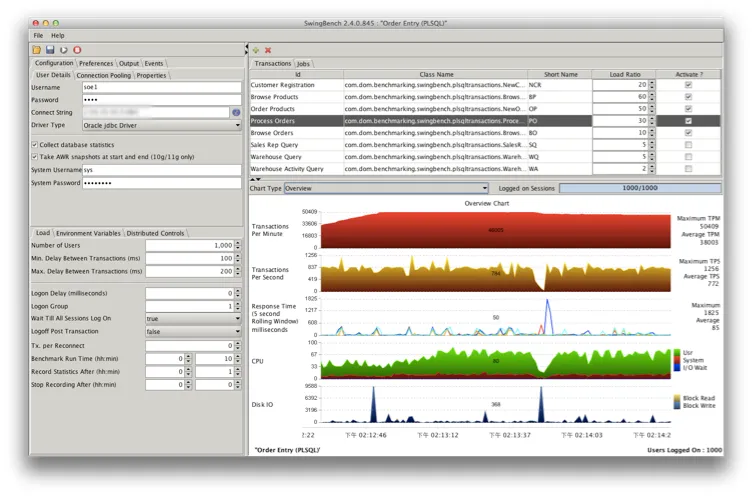
In this example I’m running it from the database server itself, and for that Java has to be installed. Swingbench version 2.6 requires Java 1.8, and this already comes with the Oracle Database 18c installation.
To use Oracle’s Java, remember to set the path of the Java binary in the operating system’s $PATH variable:
[oracle@oracle-srv bin]$ export PATH=$PATH:/opt/oracle/product/18.0.0/grid/jdk/jre/bin
[oracle@oracle-srv bin]$ java -version
java version "1.8.0_171"
Java(TM) SE Runtime Environment (build 1.8.0_171-b11)
Java HotSpot(TM) 64-Bit Server VM (build 25.171-b11, mixed mode)
Once that is done, run OEWizard in text mode:
[oracle@oracle-srv bin]$ ./oewizard -s -cs //localhost:1521/orcl -create -dba "sys as sysdba" -dbap oracle -ts SOE_DATA -df +DATA/orcl/datafile/soe_data.277.1000650159 -tc 4 -allindexes -u soe -p soe -v -normalfile -nopart -scale 3 -cl
Connecting to : jdbc:oracle:thin:@//localhost:1521/orcl
Connected
.....
.....
============================================
|           Datagenerator Run Stats        |
============================================
Connection Time                        0:00:00.003
Data Generation Time                   0:02:38.979
DDL Creation Time                      0:00:49.236
Total Run Time                         0:03:28.220
Rows Inserted per sec                      228,398
Data Generated (MB) per sec                   18.3
Actual Rows Generated                   36,990,417
Commits Completed                            1,890
Batch Updates Completed                    184,988

Connecting to : jdbc:oracle:thin:@//localhost:1521/orcl
Connected

Post Creation Validation Report
===============================
The schema appears to have been created successfully.

Valid Objects
=============
Valid Tables : 'ORDERS','ORDER_ITEMS','CUSTOMERS','WAREHOUSES','ORDERENTRY_METADATA','INVENTORIES','PRODUCT_INFORMATION','PRODUCT_DESCRIPTIONS','ADDRESSES','CARD_DETAILS'
Valid Indexes : 'PRD_DESC_PK','PROD_NAME_IX','PRODUCT_INFORMATION_PK','PROD_SUPPLIER_IX','PROD_CATEGORY_IX','INVENTORY_PK','INV_PRODUCT_IX','INV_WAREHOUSE_IX','ORDER_PK','ORD_SALES_REP_IX','ORD_CUSTOMER_IX','ORD_ORDER_DATE_IX','ORD_WAREHOUSE_IX','ORDER_ITEMS_PK','ITEM_ORDER_IX','ITEM_PRODUCT_IX','WAREHOUSES_PK','WHS_LOCATION_IX','CUSTOMERS_PK','CUST_EMAIL_IX','CUST_ACCOUNT_MANAGER_IX','CUST_FUNC_LOWER_NAME_IX','ADDRESS_PK','ADDRESS_CUST_IX','CARD_DETAILS_PK','CARDDETAILS_CUST_IX'
Valid Views : 'PRODUCTS','PRODUCT_PRICES'
Valid Sequences : 'CUSTOMER_SEQ','ORDERS_SEQ','ADDRESS_SEQ','LOGON_SEQ','CARD_DETAILS_SEQ'
Valid Code : 'ORDERENTRY'
Schema Created
You can check what each parameter is in the OEWizard help:
[oracle@oracle-srv bin]$ ./oewizard --help
usage: parameters:
 -allindexes             build all indexes for schema
 -async_off              run without async transactions
 -async_on               run with async transactions (default)
 -bigfile                use big file tablespaces
 -c <filename>           wizard config file
 -cf <file>              the location of a crendentials file for Oracle
                         Exadata Express
 -cl                     run in character mode
 -compositepart          use a composite paritioning model if it exisits
 -compress               use default compression model if it exists
 -create                 create benchmarks schema
 -cs <connectString>     connectring for database
 -dba <username>         dba username for schema creation
 -dbap <password>        password for schema creation
 -debug                  turn on debugging output
 -debugf                 turn on debugging output to file (debug.log)
 -df <datafile>          datafile name used to create schema in
 -drop                   drop benchmarks schema
 -dt <driverType>        driver type (oci|thin)
 -g                      run in graphical mode (default)
 -generate               generate data for benchmark if available
 -h,--help               print this message
 -hashpart               use hash paritioning model if it exists
 -hcccompress            use HCC compression if it exisits
 -nocompress             don't use any database compression
 -noindexes              don't build any indexes for schema
 -nopart                 don't use any database partitioning
 -normalfile             use normal file tablespaces
 -oltpcompress           use OLTP compression if it exisits
 -p <password>           password for benchmark schema
 -part                   use default paritioning model if it exists
 -pkindexes              only create primary keys for schema
 -rangepart              use a range paritioning model if it exisits
 -ro                     reverse the order in which data is generated
                         (smallest first)
 -s                      run in silent mode
 -scale <scale>          mulitiplier for default config
 -sp <soft partitions>   the number of softparitions used. Defaults to cpu
                         count
 -tc <thread count>      the number of threads(parallelism) used to
                         generate data. Defaults to cpus*2
 -ts <tablespace>        tablespace to create schema in
 -u <username>           username for benchmark schema
 -v                      run in verbose mode when running from command
                         line
 -version <version>      version of the benchmark to run
To run Swingbench in text mode as well, we use Charbench as follows:
[oracle@oracle-srv bin]$ ./charbench -cs //localhost:1521/orcl -u soe -p soe -uc 2 -c ../configs/SOE_Server_Side_V2.xml
Author  :        Dominic Giles
Version :        2.6.0.1076

Results will be written to results.xml.
Hit Return to Terminate Run...

Time            Users   TPM     TPS

3:37:21 PM      2       22604   439
3:39:24 PM      2       25761   472
Completed Run.
I hope you enjoy it and that it is useful when you need to use this method.
Cheers and see you soon,
Franky
Comments