
Hi folks, in this post I go a bit further into the Flex Disk Group.
We started on this subject in the previous post. If you haven’t seen it, check it out…
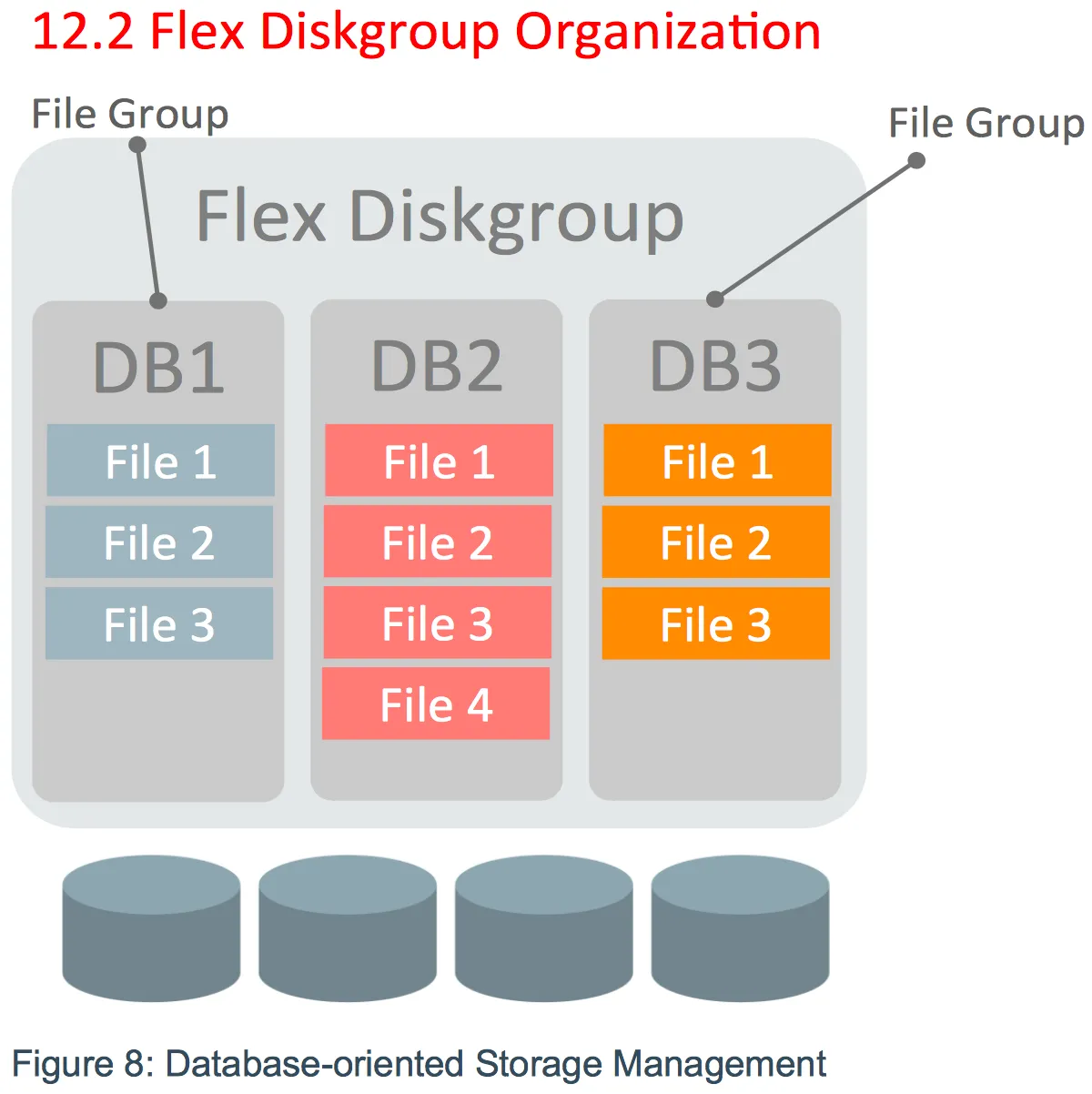
The goal here is to show how to store a PDB in a Flex Disk Group. In this example we’ll store one of the tablespaces of the PDB pdb1 there and compare it with the others.
As the oracle user, I point the environment variables to my orcl_2 instance:
[oracle@london1 ~]$ . oraenv
ORACLE_SID = [+ASM1] ? orcl_2
ORACLE_HOME = [/home/oracle] ? /u01/app/oracle/product/12.2.0.1/db_1
The Oracle base remains unchanged with value /u01/app/oracle

[oracle@london1 ~]$ sqlplus / as sysdba

SQL*Plus: Release 12.2.0.1.0 Production on Mon Jul 31 23:44:56 2017

Copyright (c) 1982, 2016, Oracle.  All rights reserved.

Connected to:
Oracle Database 12c Enterprise Edition Release 12.2.0.1.0 - 64bit Production
We create the new PDB and point the PDB1TBS tablespace to be stored in the Flex Disk Group:
SQL> create pluggable database pdb1 admin user pdbadmin identified by oracle
default tablespace pdb1tbs datafile '+FLEX' size 200M autoextend off storage (maxsize 800M);

Pluggable database created.
Then we open PDB1:
SQL> alter pluggable database pdb1 open;

Pluggable database altered.

SQL> exit
Disconnected from Oracle Database 12c Enterprise Edition Release 12.2.0.1.0 - 64bit Production
Let’s see how the PDB1 files turned out. Point the environment variables to the +ASM1 instance:
[oracle@london1 ~]$ . oraenv
ORACLE_SID = [orcl_2] ? +ASM1
The Oracle base remains unchanged with value /u01/app/oracle
Open asmcmd and list the datafiles of the orcl database (CDB) and of PDB1 so we can see the differences:
[oracle@london1 ~]$ asmcmd

ASMCMD> ls -ls +data/orcl/datafile/
Type      Redund  Striped  Time             Sys  Block_Size  Blocks      Bytes      Space  Name
DATAFILE  UNPROT  COARSE   JUL 31 23:00:00  Y          8192   70401  576724992  578813952  SYSAUX.263.950738671
DATAFILE  UNPROT  COARSE   JUL 31 23:00:00  Y          8192   89601  734011392  736100352  SYSTEM.269.950738655
DATAFILE  UNPROT  COARSE   JUL 31 23:00:00  Y          8192   26881  220209152  222298112  UNDOTBS1.266.950738675
DATAFILE  UNPROT  COARSE   JUL 31 23:00:00  Y          8192   26881  220209152  222298112  UNDOTBS2.279.950819195
DATAFILE  UNPROT  COARSE   JUL 31 23:00:00  Y          8192     641    5251072    6291456  USERS.267.950738737

ASMCMD> ls -ls +flex/orcl/55A934E3333E523BE0536538A8C03BD8/datafile/
Type      Redund  Striped  Time             Sys  Block_Size  Blocks      Bytes      Space  Name
DATAFILE  MIRROR  COARSE   JUL 31 23:00:00  Y          8192   25601  209723392  440401920  PDB1TBS.256.950831601
See that in the Flex Disk Group the datafile of the PDB pdb1 was created with Mirror redundancy, while the datafiles of the orcl CDB, which are in the DATA Disk Group, are Unprotected.
This is because of the default redundancy of datafiles in a Flex Disk Group.
Querying the disk group information we see that the redundancy is of type Flex:
SQL> select GROUP_NUMBER, NAME, STATE, TYPE, TOTAL_MB, FREE_MB, REQUIRED_MIRROR_FREE_MB, USABLE_FILE_MB from v$asm_diskgroup;

GROUP_NUMBER NAME	    STATE	    TYPE     TOTAL_MB	 FREE_MB REQUIRED_MIRROR_FREE_MB USABLE_FILE_MB
------------ ---------- ----------- ------ ---------- ---------- ----------------------- --------------
	       1 CONFIG	    MOUNTED     EXTERN	    40960	    6868		               0	       6868
	       2 DATA	    MOUNTED     EXTERN	    12288	    8166		               0	       8166
	       3 FLEX	    MOUNTED     FLEX	     5120	    4328		               0	          0
In this post we saw that to store a database, whether it is a Non-CDB, a CDB or a PDB, we only need to specify the disk group. In the example shown we stored only one of the tablespaces of our PDB pdb1 in the FLEX disk group. In the next post we’ll see a few more characteristics of Flex Disk Groups.
Hugs and see you in the next post,
Franky
Comments