
Hi everyone, the goal here is to show that you can also drop a diskgroup using asmcmd. Let’s see briefly how to do it.
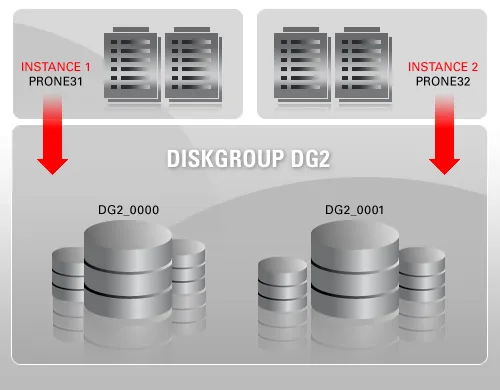
We list the diskgroups:
[oracle@london1 ~]$ asmcmd
ASMCMD> lsdg
State    Type    Rebal  Sector  Logical_Sector  Block       AU  Total_MB  Free_MB  Req_mir_free_MB  Usable_file_MB  Offline_disks  Voting_files  Name
MOUNTED  EXTERN  N         512             512   4096  4194304     40960     6900                0            6900              0             Y  CONFIG/
MOUNTED  EXTERN  N         512             512   4096  4194304     12288    12156                0           12156              0             N  DATA/
Then we try to drop the diskgroup:
ASMCMD> dropdg DATA
ORA-15039: diskgroup not dropped
ORA-15073: diskgroup DATA is mounted by another ASM instance (DBD ERROR: OCIStmtExecute)
See that the message says the diskgroup is mounted on another instance.
So let’s remotely dismount the DATA diskgroup, which is also mounted on node 2 of the cluster:
[oracle@london1 ~]$ srvctl stop diskgroup -diskgroup DATA -n london2Now it is mounted only on node 1:
[oracle@london1 ~]$ srvctl status diskgroup -diskgroup DATA
Disk Group DATA is running on london1
Finally we can drop it:
ASMCMD> dropdg DATAWhen we list the diskgroups, DATA is no longer there:
ASMCMD> lsdg
State    Type    Rebal  Sector  Logical_Sector  Block       AU  Total_MB  Free_MB  Req_mir_free_MB  Usable_file_MB  Offline_disks  Voting_files  Name
MOUNTED  EXTERN  N         512             512   4096  4194304     40960     6900                0            6900              0             Y  CONFIG/
OK, but it would show up the same way if we had only dismounted the diskgroup.
So let’s check whether a resource for the DATA diskgroup still exists in the cluster:
[oracle@london1 ~]$ srvctl status diskgroup -diskgroup DATA
PRCA-1000 : ASM Disk Group DATA does not exist
PRCR-1001 : Resource ora.DATA.dg does not exist

[oracle@london1 ~]$ crsctl status resource ora.DATA.dg -t
CRS-2613: Could not find resource 'ora.DATA.dg'.
See that the resource does exist for the CONFIG diskgroup:
[oracle@london1 ~]$ srvctl status diskgroup -diskgroup CONFIG
Disk Group CONFIG is running on london1,london2

[oracle@london1 ~]$ crsctl status resource ora.CONFIG.dg -t
--------------------------------------------------------------------------------
Name           Target  State        Server                   State details
--------------------------------------------------------------------------------
Local Resources
--------------------------------------------------------------------------------
ora.CONFIG.dg
               ONLINE  ONLINE       london1                  STABLE
               ONLINE  ONLINE       london2                  STABLE
--------------------------------------------------------------------------------
Once again I kept it very brief; the idea is to bring some quick tips every now and then.
Hugs and see you next time,
Franky
Comments