
Hi folks, here I am again with a super quick tip. This time we’ll see how to create a new diskgroup using asmcmd.
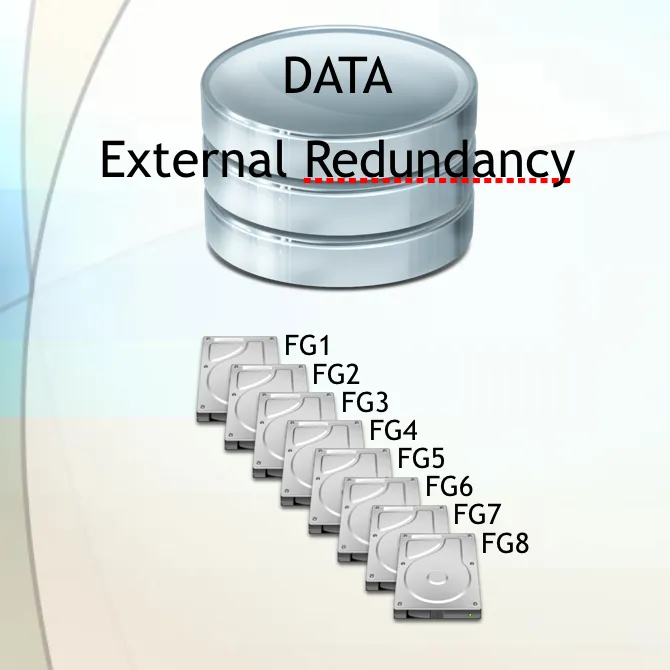
First, let’s list the disks available to be used:
ASMCMD> lsdsk --candidate -p
Group_Num  Disk_Num      Incarn  Mount_Stat  Header_Stat  Mode_Stat  State   Path
        0         0           0  CLOSED      FORMER       ONLINE     NORMAL  AFD:DATA01
The status of the disk “AFD:DATA01” is “FORMER” because I had already used it in another diskgroup before, and since that diskgroup was dropped, the disk shows up with this status.
To create a diskgroup using asmcmd you need to generate an XML file and provide a few tags.
Let’s see an example:
<dg name="DATA" redundancy="external">
     <dsk string="AFD:DATA01"/>
     <a name="compatible.asm" value="12.2.0.1.0" />
     <a name="compatible.rdbms" value="12.2.0.1.0" />
     <a name="compatible.advm" value="12.2.0.1.0" />
</dg>
Put this content in a file using “vi”:
[oracle@london2 ~]$ vi dg_data.xmlOpen the asmcmd utility and create the diskgroup:
[oracle@london2 ~]$ asmcmd
ASMCMD> mkdg dg_data.xml
If there are no errors in the procedure above, the diskgroup will be created successfully.
Let’s check:
ASMCMD> lsdg
State    Type    Rebal  Sector  Logical_Sector  Block       AU  Total_MB  Free_MB  Req_mir_free_MB  Usable_file_MB  Offline_disks  Voting_files  Name
MOUNTED  EXTERN  N         512             512   4096  4194304     40960     6900                0            6900              0             Y  CONFIG/
MOUNTED  EXTERN  N         512             512   4096  1048576     12288    12234                0           12234              0             N  DATA/
As we can see, the DATA diskgroup was created successfully.
Notice below that it is only mounted on instance 2:
ASMCMD> lsdg -g
Inst_ID  State    Type    Rebal  Sector  Logical_Sector  Block       AU  Total_MB  Free_MB  Req_mir_free_MB  Usable_file_MB  Offline_disks  Voting_files  Name
      1  MOUNTED  EXTERN  N         512             512   4096  4194304     40960     6900                0            6900              0             Y  CONFIG/
      2  MOUNTED  EXTERN  N         512             512   4096  4194304     40960     6900                0            6900              0             Y  CONFIG/
      2  MOUNTED  EXTERN  N         512             512   4096  1048576     12288    12234                0           12234              0             N  DATA/

ASMCMD> lsdsk -gp
Inst_ID  Group_Num  Disk_Num      Incarn  Mount_Stat  Header_Stat  Mode_Stat  State   Path
      1          1         1  4042311022  CACHED      MEMBER       ONLINE     NORMAL  AFD:CONFIG01
      2          1         1  4042305785  CACHED      MEMBER       ONLINE     NORMAL  AFD:CONFIG01
      1          1         0  4042311023  CACHED      MEMBER       ONLINE     NORMAL  AFD:CONFIG02
      2          1         0  4042305786  CACHED      MEMBER       ONLINE     NORMAL  AFD:CONFIG02
      1          1         3  4042311024  CACHED      MEMBER       ONLINE     NORMAL  AFD:CONFIG03
      2          1         3  4042305787  CACHED      MEMBER       ONLINE     NORMAL  AFD:CONFIG03
      1          1         2  4042311025  CACHED      MEMBER       ONLINE     NORMAL  AFD:CONFIG04
      2          1         2  4042305788  CACHED      MEMBER       ONLINE     NORMAL  AFD:CONFIG04
      2          2         0  4042305796  CACHED      MEMBER       ONLINE     NORMAL  AFD:DATA01
So let’s mount it remotely on instance 1:
[oracle@london2 ~]$ srvctl start diskgroup -diskgroup DATA -n london1Now we check again to confirm:
ASMCMD> lsdg -g
Inst_ID  State    Type    Rebal  Sector  Logical_Sector  Block       AU  Total_MB  Free_MB  Req_mir_free_MB  Usable_file_MB  Offline_disks  Voting_files  Name
      1  MOUNTED  EXTERN  N         512             512   4096  4194304     40960     6900                0            6900              0             Y  CONFIG/
      2  MOUNTED  EXTERN  N         512             512   4096  4194304     40960     6900                0            6900              0             Y  CONFIG/
      1  MOUNTED  EXTERN  N         512             512   4096  1048576     12288    12190                0           12190              0             N  DATA/
      2  MOUNTED  EXTERN  N         512             512   4096  1048576     12288    12190                0           12190              0             N  DATA/

ASMCMD> lsdsk -pg
Inst_ID  Group_Num  Disk_Num      Incarn  Mount_Stat  Header_Stat  Mode_Stat  State   Path
      2          1         1  4042305785  CACHED      MEMBER       ONLINE     NORMAL  AFD:CONFIG01
      1          1         1  4042311022  CACHED      MEMBER       ONLINE     NORMAL  AFD:CONFIG01
      2          1         0  4042305786  CACHED      MEMBER       ONLINE     NORMAL  AFD:CONFIG02
      1          1         0  4042311023  CACHED      MEMBER       ONLINE     NORMAL  AFD:CONFIG02
      2          1         3  4042305787  CACHED      MEMBER       ONLINE     NORMAL  AFD:CONFIG03
      1          1         3  4042311024  CACHED      MEMBER       ONLINE     NORMAL  AFD:CONFIG03
      2          1         2  4042305788  CACHED      MEMBER       ONLINE     NORMAL  AFD:CONFIG04
      1          1         2  4042311025  CACHED      MEMBER       ONLINE     NORMAL  AFD:CONFIG04
      2          2         0  4042305796  CACHED      MEMBER       ONLINE     NORMAL  AFD:DATA01
      1          2         0  4042311035  CACHED      MEMBER       ONLINE     NORMAL  AFD:DATA01
Now everything is fine. At this point the diskgroup is ready to be used to store a clustered database, for example.
That’s it. I hope you like it.
Hugs,
Franky
Comments