
Hi everyone, following on with the articles, here I’m going to show how to create the Listener with NETCA in text mode using a response file. To learn how to install Oracle Database 12cR2 in text mode see this article.
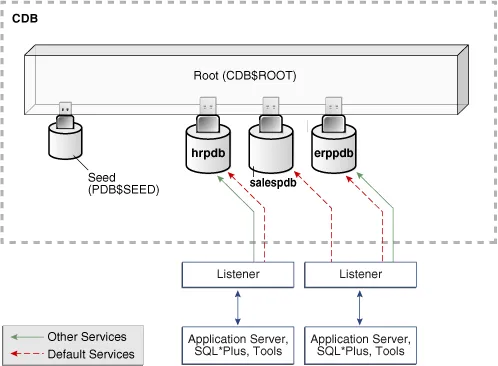
Before creating the database I like to create the Listener, because if we are going to configure Enterprise Manager, the Listener must already be created and running.
Creating the Listener Using NETCA with a Response File
Set the environment variables:
[oracle@oracle-srv netca]$ . oraenv
ORACLE_SID = [cdb] ? cdb2
ORACLE_HOME = [/home/oracle] ? /u01/app/oracle/product/12.2.0.1/db_1
The Oracle base remains unchanged with value /u01/app/oracle
Run NETCA passing the response file. The default response file that comes with the installation is enough to bring up a Listener, and if necessary you can adjust it however you like.
[oracle@oracle-srv netca]$ netca -silent -responsefile /u01/app/oracle/product/12.2.0.1/db_1/assistants/netca/netca.rsp

Parsing command line arguments:
Parameter "silent" = true
Parameter "responsefile" = /u01/app/oracle/product/12.2.0.1/db_1/assistants/netca/netca.rsp
Done parsing command line arguments.
Oracle Net Services Configuration:
Profile configuration complete.
Oracle Net Listener Startup:
Running Listener Control:
/u01/app/oracle/product/12.2.0.1/db_1/bin/lsnrctl start LISTENER
Listener Control complete.
Listener started successfully.
Listener configuration complete.
Oracle Net Services configuration successful. The exit code is 0
Check that the Listener is running:
[oracle@oracle-srv ~]$ lsnrctl status LISTENER

LSNRCTL for Linux: Version 12.2.0.1.0 - Production on 10-JUN-2017 20:48:02

Copyright (c) 1991, 2016, Oracle. All rights reserved.

Connecting to (DESCRIPTION=(ADDRESS=(PROTOCOL=TCP)(HOST=oracle-srv.localdomain)(PORT=1521)))
STATUS of the LISTENER
------------------------
Alias LISTENER
Version TNSLSNR for Linux: Version 12.2.0.1.0 - Production
Start Date 10-JUN-2017 19:48:06
Uptime 0 days 0 hr. 59 min. 56 sec
Trace Level off
Security ON: Local OS Authentication
SNMP OFF
Listener Parameter File /u01/app/oracle/product/12.2.0.1/db_1/network/admin/listener.ora
Listener Log File /u01/app/oracle/diag/tnslsnr/oracle-srv/listener/alert/log.xml
Listening Endpoints Summary...
(DESCRIPTION=(ADDRESS=(PROTOCOL=tcp)(HOST=oracle-srv.localdomain)(PORT=1521)))
(DESCRIPTION=(ADDRESS=(PROTOCOL=ipc)(KEY=EXTPROC1521)))
The listener supports no services
The command completed successfully
That’s it, now all that is left is the database creation.
Regards and see you soon,
Franky
Acho que vcs salvaram meu dia ! kkkk
Obrigado!